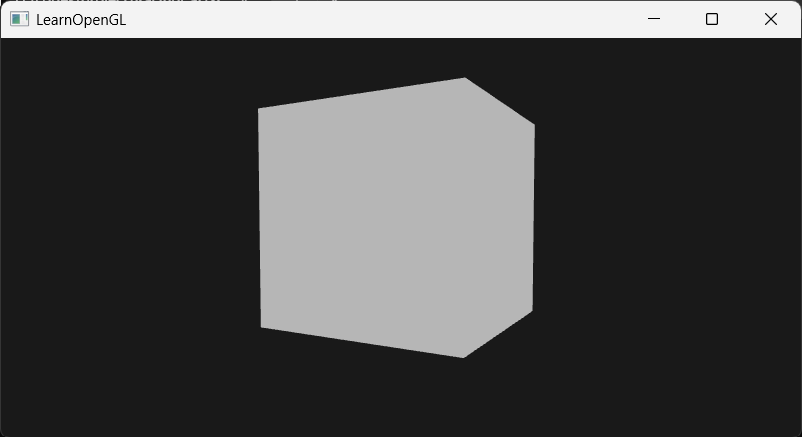
光栅化与走样(锯齿)成因
光栅化器以图元的所有顶点为输入,判断图元覆盖的片段。每个像素中心有一个采样点,当采样点位于图元内部,判定该像素被图元覆盖,否则没有覆盖,覆盖的像素将会进入下一阶段也就是片元着色器进行着色。 由于屏幕分辨率不够高,图元边缘的像素呈现锯齿状,这就导致了走样(锯齿)问题。
MSAA 多重采样抗锯齿核心原理
MSAA(多重采样)借鉴了 SSAA(超分辨率采样)的思路,将每个像素的一个中心采样点,转换为以特定图案排列的 4 个子采样点,通过子采样点判断像素的覆盖率。 MSAA 核心特性:每个像素只执行一次片元着色器,与子采样点数量无关。
- 三角形内部像素:4 个子采样点全部位于三角形内部。片元着色器运行后,输出的颜色会同步存储到全部 4 个子样本中,所有子样本颜色值完全一致。
- 三角形边缘像素:图元仅覆盖部分子采样点,最终颜色只会写入被覆盖的子样本中。 最终屏幕像素颜色,由图元原色与所有子样本的颜色加权融合计算得出,实现边缘平滑、消除锯齿。
MSAA 深度、模板缓冲机制
MSAA 不仅对颜色做多重采样,每一个子样本都会独立存储专属的深度值与模板值,并独立执行深度测试与模板测试。
- 子采样点的深度值,由图元顶点深度值插值得到;一个像素存储 4 份 float 深度数据,深度缓冲显存容量扩大 4 倍。
- 深度测试:逐个对每一个子采样点进行可见性判定。
- 模板测试:规则与深度测试一致,子样本独立判定。 总结:深度缓冲、模板缓冲的显存占用大小,会随单像素子采样点数量成倍增加。
MSAA 离屏渲染前置条件
如需灵活控制 MSAA、结合后处理效果,必须使用自定义帧缓冲(离屏渲染)。自定义帧缓冲包含纹理附件、渲染缓冲附件两类,用途不局限于 MSAA,还可实现泛光(Bloom)、模糊、调色、镜面反射等屏幕后处理效果。
MSAA 的两种实现方式与优缺点
窗口自带 MSAA(非离屏)
通过 glfwWindowHint 配置采样数,配合 glEnable(GL_MULTISAMPLE) 开启,场景直接渲染到屏幕默认帧缓冲。
缺点:无法获取抗锯齿后的画面纹理用于后处理,属于全局强制抗锯齿,不支持局部开启/关闭 MSAA,灵活性极差。
离屏多重采样 FBO(主流方案)
给自定义 FBO 绑定多重采样纹理附件或多重采样 RBO 渲染缓冲附件。 核心逻辑:FBO 仅为挂载容器,本身不具备多重采样能力;多重采样效果依靠 API 中的 samples 参数,开辟多份显存、独立存储所有子样本数据实现。 标准渲染流程:
- 将场景先渲染至多重采样离屏 FBO;
- 调用 glBlitFramebuffer,将多采样缓冲数据解析合并为普通单采样图像;
- 拷贝至普通自定义帧缓冲(用于后处理)或窗口默认帧缓冲(直接输出屏幕)。
MSAA 后处理二次锯齿问题与补偿方案
当多重采样帧缓冲通过 glBlitFramebuffer 整合为单采样帧缓冲后,屏幕纹理会还原为单采样普通纹理。
此时再执行边缘检测等后处理算法,会重新出现锯齿(像素非黑即白,无过渡边缘)。
补偿方案:对输出纹理进行模糊滤波,或自定义后处理抗锯齿算法修复边缘锯齿。
多重采样纹理的着色器采样规则
多重采样纹理不能使用常规 texture() 函数采样,必须满足对应格式与语法规范:
- 纹理着色器类型需声明为 sampler2DMS(而非常规 sampler2D);
- 使用 texelFetch 函数定点采样,可单独读取每一个子样本数据。 采样语法示例:
// 读取当前纹理坐标下第4个子样本的颜色值texelFetch(screenTextureMS, TexCoords, 3);该方式可直接、独立访问所有子样本颜色数据,支持开发者自定义抗锯齿混合逻辑,手动控制子样本颜色融合规则,实现自定义 AA 算法。
example1: 使用MSAA抗锯齿
关键在于:1.窗口创建前申请多重采样帧缓冲。普通窗口1个像素=1个颜色采样、1个深度采样;创建多重采样帧缓冲后,1个像素=N个颜色采样、N个深度采样。2.启用光栅化多重采样管线开关。开启之后,光栅器会在每个像素内生成N个子采样点
#define STB_IMAGE_IMPLEMENTATION#include <glad/glad.h>#include <GLFW/glfw3.h>
#include <glm/glm.hpp>#include <glm/gtc/matrix_transform.hpp>#include <glm/gtc/type_ptr.hpp>
#include <stb_image.h>#include <iostream>#include <vector>
#include <myShader.h>#include <myCamera.h>#include <Model.h>
using namespace std;
const unsigned int SCR_WIDTH = 800;const unsigned int SCR_HEIGHT = 400;
Camera camera(glm::vec3(0.0f, 0.0f, 3.0f));float lastX = (float)SCR_WIDTH / 2.0f;float lastY = (float)SCR_HEIGHT / 2.0f;float deltaTime = 0.0f;float lastFrame = 0.0f;bool firstCamera = true;
void framebuffer_size_callback(GLFWwindow* window, int width, int height) { glViewport(0, 0, width, height);}void processInput(GLFWwindow* window) { if(glfwGetKey(window,GLFW_KEY_ESCAPE)==GLFW_PRESS){ glfwSetWindowShouldClose(window, true); } if (glfwGetKey(window, GLFW_KEY_W) == GLFW_PRESS) { camera.ProcessKeyboard(FORWARD, deltaTime); } if (glfwGetKey(window, GLFW_KEY_S) == GLFW_PRESS) { camera.ProcessKeyboard(BACKWARD, deltaTime); } if (glfwGetKey(window, GLFW_KEY_A) == GLFW_PRESS) { camera.ProcessKeyboard(LEFT, deltaTime); } if (glfwGetKey(window, GLFW_KEY_D) == GLFW_PRESS) { camera.ProcessKeyboard(RIGHT, deltaTime); }}void processMovement(GLFWwindow* window, double xpos, double ypos) { if (firstCamera) { lastX = xpos; lastY = ypos; firstCamera = false; } float xoffset = xpos - lastX; float yoffset = lastY - ypos; lastX = xpos; lastY = ypos; camera.ProcessMouseMovement(xoffset, yoffset);}void processScroll(GLFWwindow* window, double xoffset, double yoffset) { camera.ProcessScroll(yoffset);}unsigned int loadTexture(const char* path) { unsigned int texture; glGenTextures(1, &texture); glBindTexture(GL_TEXTURE_2D, texture);
int width, height, nrChannels; unsigned char* data = stbi_load(path, &width, &height, &nrChannels, 0); if (data) { GLenum format; if (nrChannels == 1) { format = GL_RED; } else if (nrChannels == 3) { format = GL_RGB; } else if (nrChannels == 4) { format = GL_RGBA; } glTexImage2D(GL_TEXTURE_2D, 0, format, width, height, 0, format, GL_UNSIGNED_BYTE, data); glGenerateMipmap(GL_TEXTURE_2D); glTexParameteri(GL_TEXTURE_2D, GL_TEXTURE_WRAP_S, GL_REPEAT); glTexParameteri(GL_TEXTURE_2D, GL_TEXTURE_WRAP_T, GL_REPEAT); glTexParameteri(GL_TEXTURE_2D, GL_TEXTURE_MIN_FILTER, GL_LINEAR_MIPMAP_LINEAR); glTexParameteri(GL_TEXTURE_2D, GL_TEXTURE_MAG_FILTER, GL_LINEAR); } else { cout << "Failed to load texture" << endl; } stbi_image_free(data); return texture;}unsigned int loadCubemap(vector<string> faces) { unsigned int texture; glGenTextures(1, &texture); glBindTexture(GL_TEXTURE_CUBE_MAP, texture);
int width, height, nrChannels; for (int i = 0; i < faces.size(); i++) { unsigned char* data = stbi_load(faces[i].c_str(), &width, &height, &nrChannels, 0); if(data) { glTexImage2D(GL_TEXTURE_CUBE_MAP_POSITIVE_X + i, 0, GL_RGB, width, height, 0, GL_RGB, GL_UNSIGNED_BYTE, data); } else { cout << "failed to load cubemap" << endl; } stbi_image_free(data); } glTexParameteri(GL_TEXTURE_CUBE_MAP, GL_TEXTURE_MIN_FILTER, GL_LINEAR); glTexParameteri(GL_TEXTURE_CUBE_MAP, GL_TEXTURE_MAG_FILTER, GL_LINEAR); glTexParameteri(GL_TEXTURE_CUBE_MAP, GL_TEXTURE_WRAP_R, GL_CLAMP_TO_EDGE); glTexParameteri(GL_TEXTURE_CUBE_MAP, GL_TEXTURE_WRAP_S, GL_CLAMP_TO_EDGE); glTexParameteri(GL_TEXTURE_CUBE_MAP, GL_TEXTURE_WRAP_T, GL_CLAMP_TO_EDGE);
return texture;}int main() { glfwInit(); glfwWindowHint(GLFW_CONTEXT_VERSION_MAJOR, 3); glfwWindowHint(GLFW_CONTEXT_VERSION_MINOR, 3); glfwWindowHint(GLFW_OPENGL_PROFILE, GLFW_OPENGL_CORE_PROFILE); glfwWindowHint(GLFW_SAMPLES, 4);//glfwWindowHint预创建配置项,告诉显卡驱动需要多重采样,把各个缓冲按4倍扩容
GLFWwindow* window = glfwCreateWindow(SCR_WIDTH, SCR_HEIGHT, "LearnOpenGL", NULL, NULL); if (window == NULL) { cout << "Failed to initialize GLFW" << endl; glfwTerminate(); return -1; } glfwMakeContextCurrent(window); glfwSetFramebufferSizeCallback(window, framebuffer_size_callback); glfwSetScrollCallback(window, processScroll); glfwSetCursorPosCallback(window, processMovement);
if (!gladLoadGLLoader((GLADloadproc)glfwGetProcAddress)) { cout << "failed to load glad" << endl; glfwTerminate(); return -1; }
glfwSetInputMode(window, GLFW_CURSOR, GLFW_CURSOR_DISABLED);
//stbi_set_flip_vertically_on_load(true);
glEnable(GL_DEPTH_TEST); glEnable(GL_MULTISAMPLE);//开启光栅管线的多重采样计算逻辑
float vertices[] = { // positions -0.5f, -0.5f, -0.5f, 0.5f, -0.5f, -0.5f, 0.5f, 0.5f, -0.5f, 0.5f, 0.5f, -0.5f, -0.5f, 0.5f, -0.5f, -0.5f, -0.5f, -0.5f,
-0.5f, -0.5f, 0.5f, 0.5f, -0.5f, 0.5f, 0.5f, 0.5f, 0.5f, 0.5f, 0.5f, 0.5f, -0.5f, 0.5f, 0.5f, -0.5f, -0.5f, 0.5f,
-0.5f, 0.5f, 0.5f, -0.5f, 0.5f, -0.5f, -0.5f, -0.5f, -0.5f, -0.5f, -0.5f, -0.5f, -0.5f, -0.5f, 0.5f, -0.5f, 0.5f, 0.5f,
0.5f, 0.5f, 0.5f, 0.5f, 0.5f, -0.5f, 0.5f, -0.5f, -0.5f, 0.5f, -0.5f, -0.5f, 0.5f, -0.5f, 0.5f, 0.5f, 0.5f, 0.5f,
-0.5f, -0.5f, -0.5f, 0.5f, -0.5f, -0.5f, 0.5f, -0.5f, 0.5f, 0.5f, -0.5f, 0.5f, -0.5f, -0.5f, 0.5f, -0.5f, -0.5f, -0.5f,
-0.5f, 0.5f, -0.5f, 0.5f, 0.5f, -0.5f, 0.5f, 0.5f, 0.5f, 0.5f, 0.5f, 0.5f, -0.5f, 0.5f, 0.5f, -0.5f, 0.5f, -0.5f };
unsigned int cubeVAO, cubeVBO; glGenVertexArrays(1, &cubeVAO); glGenBuffers(1, &cubeVBO); glBindVertexArray(cubeVAO); glBindBuffer(GL_ARRAY_BUFFER, cubeVBO); glBufferData(GL_ARRAY_BUFFER, sizeof(vertices), vertices, GL_STATIC_DRAW); glVertexAttribPointer(0, 3, GL_FLOAT, GL_FALSE, 3 * sizeof(float), (void*)0); glEnableVertexAttribArray(0); glBindVertexArray(0);
Shader shader("src/Shader/vertexShader.txt", "src/Shader/fragmentShader.txt");
while (!glfwWindowShouldClose(window)) { float currentFrame = (float)glfwGetTime(); deltaTime = currentFrame - lastFrame; lastFrame = currentFrame;
processInput(window);
glClearColor(0.1, 0.1, 0.1, 1.0); glClear(GL_COLOR_BUFFER_BIT | GL_DEPTH_BUFFER_BIT);
shader.use(); glm::mat4 model=glm::mat4(1.0f); glm::mat4 view = camera.GetCameraView(); glm::mat4 projection = glm::perspective(glm::radians(camera.Zoom), (float)SCR_WIDTH / (float)SCR_HEIGHT, 1.0f, 100.0f); shader.setMat4("model", model); shader.setMat4("view", view); shader.setMat4("projection", projection); glBindVertexArray(cubeVAO); glDrawArrays(GL_TRIANGLES, 0, 36); glBindVertexArray(0);
glfwSwapBuffers(window); glfwPollEvents(); }
glfwTerminate(); return 0;}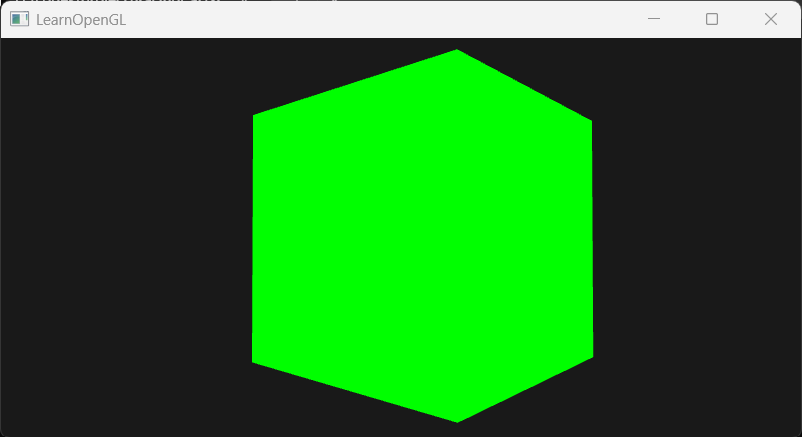
example2: 使用自定义帧缓冲实现MSAA
这样的实现允许我们做离屏渲染。并且能够在已经抗锯齿的画面上做屏幕后处理。 首先定义了一个帧缓冲,为其附加上承载颜色缓冲的纹理附件和承载深度、模板缓冲的渲染缓冲附件。为这两个附件分别开启多重采样,这是通过调用特定API、改变纹理目标类型实现的。 其次定义了另一个中间帧缓冲,为其附加上承载颜色缓冲的纹理附件。将第一个多重帧缓冲的内容传递到这个中间帧缓冲中(已经是单重帧缓冲了),渲染的画面也就到了中间帧缓冲的纹理附件上。 最后渲染全屏四边形,从中间帧缓冲的纹理附件上的纹理采样。注意渲染全屏四边形的顶点着色器不需要变换矩阵,因为给的四边形的坐标已经是屏幕空间了。
#define STB_IMAGE_IMPLEMENTATION#include <glad/glad.h>#include <GLFW/glfw3.h>
#include <glm/glm.hpp>#include <glm/gtc/matrix_transform.hpp>#include <glm/gtc/type_ptr.hpp>
#include <stb_image.h>#include <iostream>#include <vector>
#include <myShader.h>#include <myCamera.h>#include <Model.h>
using namespace std;
const unsigned int SCR_WIDTH = 800;const unsigned int SCR_HEIGHT = 400;
Camera camera(glm::vec3(0.0f, 0.0f, 3.0f));float lastX = (float)SCR_WIDTH / 2.0f;float lastY = (float)SCR_HEIGHT / 2.0f;float deltaTime = 0.0f;float lastFrame = 0.0f;bool firstCamera = true;
void framebuffer_size_callback(GLFWwindow* window, int width, int height) { glViewport(0, 0, width, height);}void processInput(GLFWwindow* window) { if(glfwGetKey(window,GLFW_KEY_ESCAPE)==GLFW_PRESS){ glfwSetWindowShouldClose(window, true); } if (glfwGetKey(window, GLFW_KEY_W) == GLFW_PRESS) { camera.ProcessKeyboard(FORWARD, deltaTime); } if (glfwGetKey(window, GLFW_KEY_S) == GLFW_PRESS) { camera.ProcessKeyboard(BACKWARD, deltaTime); } if (glfwGetKey(window, GLFW_KEY_A) == GLFW_PRESS) { camera.ProcessKeyboard(LEFT, deltaTime); } if (glfwGetKey(window, GLFW_KEY_D) == GLFW_PRESS) { camera.ProcessKeyboard(RIGHT, deltaTime); }}void processMovement(GLFWwindow* window, double xpos, double ypos) { if (firstCamera) { lastX = xpos; lastY = ypos; firstCamera = false; } float xoffset = xpos - lastX; float yoffset = lastY - ypos; lastX = xpos; lastY = ypos; camera.ProcessMouseMovement(xoffset, yoffset);}void processScroll(GLFWwindow* window, double xoffset, double yoffset) { camera.ProcessScroll(yoffset);}unsigned int loadTexture(const char* path) { unsigned int texture; glGenTextures(1, &texture); glBindTexture(GL_TEXTURE_2D, texture);
int width, height, nrChannels; unsigned char* data = stbi_load(path, &width, &height, &nrChannels, 0); if (data) { GLenum format; if (nrChannels == 1) { format = GL_RED; } else if (nrChannels == 3) { format = GL_RGB; } else if (nrChannels == 4) { format = GL_RGBA; } glTexImage2D(GL_TEXTURE_2D, 0, format, width, height, 0, format, GL_UNSIGNED_BYTE, data); glGenerateMipmap(GL_TEXTURE_2D); glTexParameteri(GL_TEXTURE_2D, GL_TEXTURE_WRAP_S, GL_REPEAT); glTexParameteri(GL_TEXTURE_2D, GL_TEXTURE_WRAP_T, GL_REPEAT); glTexParameteri(GL_TEXTURE_2D, GL_TEXTURE_MIN_FILTER, GL_LINEAR_MIPMAP_LINEAR); glTexParameteri(GL_TEXTURE_2D, GL_TEXTURE_MAG_FILTER, GL_LINEAR); } else { cout << "Failed to load texture" << endl; } stbi_image_free(data); return texture;}unsigned int loadCubemap(vector<string> faces) { unsigned int texture; glGenTextures(1, &texture); glBindTexture(GL_TEXTURE_CUBE_MAP, texture);
int width, height, nrChannels; for (int i = 0; i < faces.size(); i++) { unsigned char* data = stbi_load(faces[i].c_str(), &width, &height, &nrChannels, 0); if(data) { glTexImage2D(GL_TEXTURE_CUBE_MAP_POSITIVE_X + i, 0, GL_RGB, width, height, 0, GL_RGB, GL_UNSIGNED_BYTE, data); } else { cout << "failed to load cubemap" << endl; } stbi_image_free(data); } glTexParameteri(GL_TEXTURE_CUBE_MAP, GL_TEXTURE_MIN_FILTER, GL_LINEAR); glTexParameteri(GL_TEXTURE_CUBE_MAP, GL_TEXTURE_MAG_FILTER, GL_LINEAR); glTexParameteri(GL_TEXTURE_CUBE_MAP, GL_TEXTURE_WRAP_R, GL_CLAMP_TO_EDGE); glTexParameteri(GL_TEXTURE_CUBE_MAP, GL_TEXTURE_WRAP_S, GL_CLAMP_TO_EDGE); glTexParameteri(GL_TEXTURE_CUBE_MAP, GL_TEXTURE_WRAP_T, GL_CLAMP_TO_EDGE);
return texture;}int main() { glfwInit(); glfwWindowHint(GLFW_CONTEXT_VERSION_MAJOR, 3); glfwWindowHint(GLFW_CONTEXT_VERSION_MINOR, 3); glfwWindowHint(GLFW_OPENGL_PROFILE, GLFW_OPENGL_CORE_PROFILE);
GLFWwindow* window = glfwCreateWindow(SCR_WIDTH, SCR_HEIGHT, "LearnOpenGL", NULL, NULL); if (window == NULL) { cout << "Failed to initialize GLFW" << endl; glfwTerminate(); return -1; } glfwMakeContextCurrent(window); glfwSetFramebufferSizeCallback(window, framebuffer_size_callback); glfwSetScrollCallback(window, processScroll); glfwSetCursorPosCallback(window, processMovement);
if (!gladLoadGLLoader((GLADloadproc)glfwGetProcAddress)) { cout << "failed to load glad" << endl; glfwTerminate(); return -1; }
glfwSetInputMode(window, GLFW_CURSOR, GLFW_CURSOR_DISABLED);
//stbi_set_flip_vertically_on_load(true);
glEnable(GL_DEPTH_TEST);
float vertices[] = { // positions -0.5f, -0.5f, -0.5f, 0.5f, -0.5f, -0.5f, 0.5f, 0.5f, -0.5f, 0.5f, 0.5f, -0.5f, -0.5f, 0.5f, -0.5f, -0.5f, -0.5f, -0.5f,
-0.5f, -0.5f, 0.5f, 0.5f, -0.5f, 0.5f, 0.5f, 0.5f, 0.5f, 0.5f, 0.5f, 0.5f, -0.5f, 0.5f, 0.5f, -0.5f, -0.5f, 0.5f,
-0.5f, 0.5f, 0.5f, -0.5f, 0.5f, -0.5f, -0.5f, -0.5f, -0.5f, -0.5f, -0.5f, -0.5f, -0.5f, -0.5f, 0.5f, -0.5f, 0.5f, 0.5f,
0.5f, 0.5f, 0.5f, 0.5f, 0.5f, -0.5f, 0.5f, -0.5f, -0.5f, 0.5f, -0.5f, -0.5f, 0.5f, -0.5f, 0.5f, 0.5f, 0.5f, 0.5f,
-0.5f, -0.5f, -0.5f, 0.5f, -0.5f, -0.5f, 0.5f, -0.5f, 0.5f, 0.5f, -0.5f, 0.5f, -0.5f, -0.5f, 0.5f, -0.5f, -0.5f, -0.5f,
-0.5f, 0.5f, -0.5f, 0.5f, 0.5f, -0.5f, 0.5f, 0.5f, 0.5f, 0.5f, 0.5f, 0.5f, -0.5f, 0.5f, 0.5f, -0.5f, 0.5f, -0.5f };
float quadVertices[] = { // vertex attributes for a quad that fills the entire screen in Normalized Device Coordinates. // positions // texCoords -1.0f, 1.0f, 0.0f, 1.0f, -1.0f, -1.0f, 0.0f, 0.0f, 1.0f, -1.0f, 1.0f, 0.0f,
-1.0f, 1.0f, 0.0f, 1.0f, 1.0f, -1.0f, 1.0f, 0.0f, 1.0f, 1.0f, 1.0f, 1.0f };
unsigned int cubeVAO, cubeVBO; glGenVertexArrays(1, &cubeVAO); glGenBuffers(1, &cubeVBO); glBindVertexArray(cubeVAO); glBindBuffer(GL_ARRAY_BUFFER, cubeVBO); glBufferData(GL_ARRAY_BUFFER, sizeof(vertices), vertices, GL_STATIC_DRAW); glVertexAttribPointer(0, 3, GL_FLOAT, GL_FALSE, 3 * sizeof(float), (void*)0); glEnableVertexAttribArray(0); glBindVertexArray(0);
unsigned int quadVAO, quadVBO; glGenVertexArrays(1, &quadVAO); glGenBuffers(1, &quadVBO); glBindVertexArray(quadVAO); glBindBuffer(GL_ARRAY_BUFFER, quadVBO); glBufferData(GL_ARRAY_BUFFER, sizeof(quadVertices), quadVertices, GL_STATIC_DRAW); glVertexAttribPointer(0, 2, GL_FLOAT, GL_FALSE, 4 * sizeof(float), (void*)0); glEnableVertexAttribArray(0); glVertexAttribPointer(1, 2, GL_FLOAT, GL_FALSE, 4 * sizeof(float), (void*)(2 * sizeof(float))); glEnableVertexAttribArray(1); glBindVertexArray(0);
//创建自定义帧缓冲 unsigned int framebuffer; glGenFramebuffers(1, &framebuffer); glBindFramebuffer(GL_FRAMEBUFFER, framebuffer); //创建纹理附件 unsigned int textureColorBufferMultiSampled; glGenTextures(1, &textureColorBufferMultiSampled); glBindTexture(GL_TEXTURE_2D_MULTISAMPLE, textureColorBufferMultiSampled); glTexImage2DMultisample(GL_TEXTURE_2D_MULTISAMPLE, 4, GL_RGB, SCR_WIDTH, SCR_HEIGHT, GL_TRUE);//改方法名,改纹理目标 glFramebufferTexture2D(GL_FRAMEBUFFER, GL_COLOR_ATTACHMENT0, GL_TEXTURE_2D_MULTISAMPLE, textureColorBufferMultiSampled, 0); //创建RBO附件 unsigned int rbo; glGenRenderbuffers(1, &rbo); glBindRenderbuffer(GL_RENDERBUFFER, rbo); glRenderbufferStorageMultisample(GL_RENDERBUFFER, 4, GL_DEPTH24_STENCIL8, SCR_WIDTH, SCR_HEIGHT);//改方法名 glFramebufferRenderbuffer(GL_FRAMEBUFFER, GL_DEPTH_STENCIL_ATTACHMENT, GL_RENDERBUFFER, rbo); if (glCheckFramebufferStatus(GL_FRAMEBUFFER) != GL_FRAMEBUFFER_COMPLETE) { cout << "ERROR::FRAMEBUFFER::Framebuffer is not complete!" << endl; } glBindFramebuffer(GL_FRAMEBUFFER, 0);
//创建另一帧缓冲 unsigned int screenFramebuffer; glGenFramebuffers(1, &screenFramebuffer); glBindFramebuffer(GL_FRAMEBUFFER, screenFramebuffer); //创建纹理附件 unsigned int screenTexture; glGenTextures(1, &screenTexture); glBindTexture(GL_TEXTURE_2D, screenTexture); glTexImage2D(GL_TEXTURE_2D, 0, GL_RGB, SCR_WIDTH, SCR_HEIGHT, 0, GL_RGB, GL_UNSIGNED_BYTE, NULL); glTexParameteri(GL_TEXTURE_2D, GL_TEXTURE_MIN_FILTER, GL_LINEAR); glTexParameteri(GL_TEXTURE_2D, GL_TEXTURE_MAG_FILTER, GL_LINEAR); glFramebufferTexture2D(GL_FRAMEBUFFER, GL_COLOR_ATTACHMENT0, GL_TEXTURE_2D, screenTexture, 0);
if (glCheckFramebufferStatus(GL_FRAMEBUFFER) != GL_FRAMEBUFFER_COMPLETE) { cout << "ERROR::FRAMEBUFFER::Screen framebuffer is not complete!" << endl; } glBindTexture(GL_TEXTURE_2D, 0); glBindFramebuffer(GL_FRAMEBUFFER, 0);
Shader shader("src/Shader/vertexShader.txt", "src/Shader/fragmentShader.txt"); Shader screenShader("src/Shader/screenVertexShader.txt", "src/Shader/screenFragmentShader.txt");
screenShader.setInt("screenTexture", 0);
while (!glfwWindowShouldClose(window)) { float currentFrame = (float)glfwGetTime(); deltaTime = currentFrame - lastFrame; lastFrame = currentFrame;
processInput(window);
glClearColor(0.1, 0.1, 0.1, 1.0); glClear(GL_COLOR_BUFFER_BIT | GL_DEPTH_BUFFER_BIT);
//first pass:把图像渲染到多重采样帧缓冲 glBindFramebuffer(GL_FRAMEBUFFER, framebuffer); glClearColor(0.1f, 0.1f, 0.1f, 1.0f);//为什么需要设置这个 glClear(GL_COLOR_BUFFER_BIT | GL_DEPTH_BUFFER_BIT);//为什么需要清空缓冲? glEnable(GL_DEPTH_TEST);
shader.use(); glm::mat4 model=glm::mat4(1.0f); glm::mat4 view = camera.GetCameraView(); glm::mat4 projection = glm::perspective(glm::radians(camera.Zoom), (float)SCR_WIDTH / (float)SCR_HEIGHT, 1.0f, 100.0f); shader.setMat4("model", model); shader.setMat4("view", view); shader.setMat4("projection", projection); glBindVertexArray(cubeVAO); glDrawArrays(GL_TRIANGLES, 0, 36); glBindVertexArray(0);
//second pass: 把多重采样帧缓冲上的画面整合到自定义帧缓冲中 glBindFramebuffer(GL_READ_FRAMEBUFFER, framebuffer); glBindFramebuffer(GL_DRAW_FRAMEBUFFER, screenFramebuffer); glBlitFramebuffer(0, 0, SCR_WIDTH, SCR_HEIGHT, 0, 0, SCR_WIDTH, SCR_HEIGHT, GL_COLOR_BUFFER_BIT, GL_NEAREST); //各个参数分别是源缓冲的画面矩形,目标缓冲的画面矩形;要拷贝哪些参数;缩放时的过滤模式
//third pass: 使用自定义帧缓冲中的纹理渲染渲染全屏四边形 glBindFramebuffer(GL_FRAMEBUFFER, 0); glClearColor(1.0f, 1.0f, 1.0f, 1.0f);//为什么需要清屏,且改变了清屏颜色 glClear(GL_COLOR_BUFFER_BIT);//为什么这里不清楚深度缓冲? glDisable(GL_DEPTH_TEST);
screenShader.use(); glActiveTexture(GL_TEXTURE0); glBindTexture(GL_TEXTURE_2D, screenTexture); glBindVertexArray(quadVAO); glDrawArrays(GL_TRIANGLES, 0, 6); glBindVertexArray(0);
glfwSwapBuffers(window); glfwPollEvents(); }
glfwTerminate(); return 0;}//vertexShader#version 330 corelayout (location = 0) in vec3 aPos;
uniform mat4 model;uniform mat4 view;uniform mat4 projection;
void main(){ gl_Position=projection*view*model*vec4(aPos,1.0);}//fragmentShader#version 330 coreout vec4 FragColor;void main(){ FragColor=vec4(0.0,1.0,0.0,1.0);}//screenVertexShader#version 330 core
layout (location = 0) in vec2 aPos;layout (location = 1) in vec2 aTexCoords;
out vec2 TexCoords;
void main(){ gl_Position=vec4(aPos,0.0,1.0); TexCoords=aTexCoords;}//screenFragmentShader#version 330 corein vec2 TexCoords;out vec4 FragColor;uniform sampler2D screenTexture;
void main(){ vec3 col = texture(screenTexture, TexCoords).rgb; float grayscale = 0.2126 * col.r + 0.7152 * col.g + 0.0722 * col.b; FragColor = vec4(vec3(grayscale), 1.0);}